Can Outlook Automatically Create Calendar Events from Emails?
Published: October 22, 2026
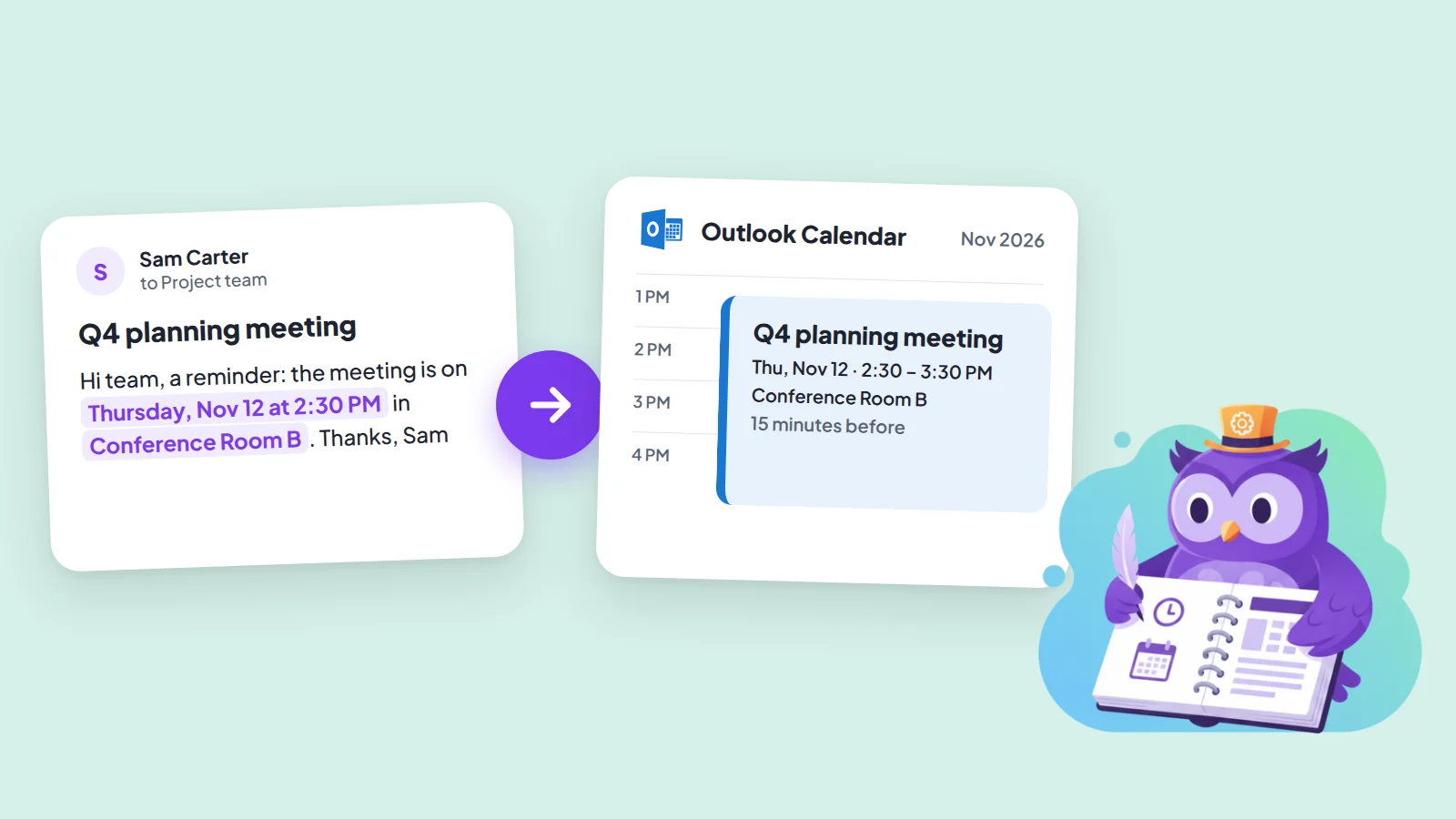
The short answer
Outlook creates calendar events by itself only for a short list of emails: flights, hotels, rental cars and package deliveries. A normal email with a meeting or appointment in it is not on that list, and Outlook rules cannot add one either. To get those into your calendar without retyping, you can build a Power Automate flow, pay for Copilot, or use a one-step tool like Text2Event. Which one fits depends on how your emails look.
What Outlook adds on its own
Outlook can read confirmation emails from supported senders and add the event to your calendar without you doing anything. Microsoft lists flight, hotel and rental car reservations and package deliveries. A few other types, such as bills and dining reservations, are being retired, so check Microsoft's page before relying on them.
- Accounts: only Microsoft accounts, such as Outlook.com and Microsoft 365. It is not available in some regions and government clouds.
- Where to change it: in Outlook.com or Outlook on the web, open Settings, then Calendar, then Events from email. You cannot change it in Outlook for Windows.
- What it does not do: read a message from a colleague or a school that says "meeting on Thursday at 2:30".
Outlook rules cannot do it
Rules are the first thing most people look for, but a rule can only act on the message itself: move it, delete it, flag it, change its importance, forward or redirect it, or notify you. None of the actions creates a calendar event or appointment.
Power Automate: works when the emails look the same
Power Automate can start a flow when a new email arrives, read the body and create a calendar event. It is a good fit when the same system sends the same kind of email every time, for example a booking tool, a ticket system or a form notification, because you can pick out the date and time from fixed positions in the text.
- Setup: you build and maintain the flow yourself: the trigger, cleaning the HTML body to plain text, pulling out the date, time and place, and mapping them into the event.
- Free-text emails: when people write dates in different ways ("next Tuesday", "the 3rd at noon"), you need an AI step to extract them. Microsoft's AI Builder is metered by credits or capacity depending on your plan, so check what your license includes before you build on it.
- Upkeep: when the sender changes the wording of the email, the flow can silently stop reading it correctly.
Copilot: schedules a meeting, does not file an invitation
"Schedule with Copilot" in Outlook creates a meeting from an email thread: it drafts a title and agenda, attaches the thread and adds the people on the thread as attendees. You review it and send it. It needs a Microsoft 365 Copilot (work) license, which Microsoft sells as a paid add-on per user, and the new Outlook for Windows or Outlook on the web. It is aimed at scheduling a meeting with the people in a thread, which is a different job from putting an event someone else invited you to into your own calendar.
The one-step way for everything else
Most event emails are written by different people in different words, which is exactly where a fixed flow breaks. For those, the quickest route is one step per email, not a fully automatic one:
- Select the part of the email with the details, or paste the whole email into the Text2Event web app.
- Text2Event reads the date, time, place and description, and sets a repeat if the email mentions one.
- Open the pre-filled event in Outlook with "Add to Outlook Live" (personal accounts) or "Add to Microsoft 365" (work or school accounts), or open the downloaded .ics file in desktop Outlook.
If you read mail in Outlook on the web, the free Chrome extension removes the copy and paste: select the text, right-click it and choose "Create event from text". The steps are in How to create a calendar event from an email in Outlook. On Android you can share the selected text straight to the Text2Event app and pick Outlook. The full walkthrough for the web app is in How to create an Outlook calendar event from an email.
Which one should you use?
| Your emails | Use | What you still do |
|---|---|---|
| Flights, hotels, rental cars, parcels (Microsoft account) | Outlook's Events from email | Nothing |
| Always the same sender and format | A Power Automate flow | Build it once, fix it when the format changes |
| A meeting to arrange with the people in a thread | Schedule with Copilot (paid) | Review and send the draft |
| Anything else: invitations and notes from different people | Text2Event | Select or paste the text, then open the event |
If you create the event by hand instead, the steps for the web, desktop and phone apps are in How to create an event in Outlook.
Try it now
Paste your next event email and see the pre-filled Outlook event in seconds.
No signup • Free • Works instantly
Automatic Outlook Calendar Events FAQs
- Q: Can Outlook automatically create calendar events from emails?
- A: Only for some kinds of email. On Outlook.com and Microsoft 365 accounts, Outlook adds events from supported senders for flights, hotels, rental cars and package deliveries. It does not turn an ordinary email such as "see you Thursday at 4 in room B" into an event by itself.
- Q: Can an Outlook rule create a calendar event?
- A: No. Outlook rules can move, delete, flag, forward or redirect messages and change their importance, but none of the rule actions creates a calendar event or appointment.
- Q: How do I automatically create Outlook calendar events from incoming emails?
- A: For emails that always look the same, such as a booking system or a ticket tool, build a Power Automate flow that starts when a new email arrives, reads the date and time from the body and creates the event. For emails written by different people in different words, there is no free automatic option, and a one-step tool such as Text2Event is faster than building and fixing a flow.
- Q: Does Copilot in Outlook create calendar events from emails?
- A: "Schedule with Copilot" starts a meeting from an email thread, with a title, an agenda, the thread attached and the people on the thread as attendees, and you review and send it. It needs a Microsoft 365 Copilot license and the new Outlook for Windows or Outlook on the web. It is meant for scheduling a meeting with the people in the thread, not for adding an event someone invited you to.
- Q: Is there a free way to turn an email into an Outlook event in one step?
- A: Yes. Select the event text in the email, paste it into Text2Event (or right-click it with the free Chrome extension) and open the pre-filled event in Outlook, or open the downloaded .ics file. Text2Event reads the date, time and place, so you do not retype them. It is one step per email, not fully automatic.
- Q: Where do I turn on "Events from email" in Outlook?
- A: In Outlook.com or Outlook on the web, open Settings, then Calendar, then Events from email, and choose what to do for each event type. It cannot be changed in Outlook for Windows, and it only works with Microsoft accounts.